My Stack for 2026
Every so often I like to reinvent how I work and review the tools I’m using. For me, it’s a fun process of learning and a way to continually try to improve my flow.
Roughly a year ago I documented my current stack. At that point there was a lot of new software in the mix that I was experimenting with. Some has stood the test of time, while others have been replaced.
I wanted to document this year’s “stack” as a handy reference for folks looking for different productivity tools and software to try out
Development
Helix
My use of the helix editor has become a permanent thingSee last years post. For some tasks, I will reach for Sublime Text, but any time I’m editing text, my first choice is helix. Sublime Text, in my opinion, is great for showing off code. It’s super lightweight and so familiar to folks that it isn’t distracting when we are reading code.
I do want to spend some dedicated time on practicing helix to get better. Some of these commands are now second-nature to me. The menu navigation helps a lot but I know there are places I can get even more efficient.
Rust
Nothing too new; I’ve been using it for years. However, I have managed to standardize on it at home and work for most things. I’ll still build the odd app or service in a random language to learn, but for real work I’m reaching for rust.
Over the past few years it’s really become more mainstream with acceptance into the Linux kernel and other high-visibility projects. Major corporations have gotten on the bandwagon too, so it’s becoming a safeI couldn’t help the little pun https://doc.rust-lang.org/nomicon/meet-safe-and-unsafe.html choice.
Direnv + Flakes
Last year I jumped around a lot in dependency management. For my projects I’ve sort of settled on the following “mini stack”.
Direnv is pretty simple. You create a .envrc file in your project. When you cd into that directory it loads your .envrc file. In its simplest form you
would load some environment settings - maybe DEV=true or use it to load some
local secrets.
The magicuse flake. Yep, that’s it! of direnv is that it can trigger another app to run to bootstrap your project-local environment. When you leave the directory it gets unloaded.
I’m not going to get too deep into the configuration. I settled on flakes because it seems to have the largest library of software and is documented pretty well!
You can read all about it in detail here Setting up a Nix Development Environment with Flakes and direnv (archive)
Just
Just is a command runner, in other words it’s an alternative to make. What I like is its syntax is very natural. As suggested by that tagline, a command runner, I tend to use it as a handy place to save complex commands in addition to build commands. Often, I will use it as a shortcut for docker commands, utility commands, etc. It just hits the spot
perfectly for that sort of thing.
Like Things (below), I feel like this is just great design. There is enough depth that they have a bookhttps://just.systems/man/en/ okay, it’s a manpage in book form, but still., but you never feel like an entire book is necessary.
Productivity
Things 3
Somehow, last year Things slipped my list. The essence of Things is a task manager, distilled to the core features needed to be productive. The depth of things is in its simplicity. It bucks the trend of trying to include everything in a task manager and just focuses on productive task management. There are “lists” to structure things like projects. There are “areas” to group like things together. Labels exist and there is a scheduling system. And that’s about it!
Things embodies tasteful development practices to me. There are steady improvements and refinements that have been rolled out over the years (I’ve been a user since 2019). In 2026 it is hard to find software that isn’t subscription based. With subscriptions, there is the constant drive to “show value” which I feel leads to bloat and unnecessary features. Things is a one-time-payment app and I don’t see that changing in the future
You might feel a little sticker shock at first, but the cost is well worth itAs of 2026-10-22 the desktop app is $49.99 and the iOS app is $9.99 (cheap!). I’m habitually searching out new software to try out and I’ve stuck with it for seven years now with no end in sight.
Obsidian
I went back to Obsidian for my Personal Information Manager. At work it’s my day-to-day task manager. There I need way more detail and other features that Things can’t provide. It also creates a very clear separation between work and home.
In my personal life I use it as sort of a database, wiki and “lab notebook”.
Zotero
Recently, I’ve taken to reading a few papers every day, so I quickly needed some way to organize it. Zotero helps me keep all of my reading and research organized.
Stuff I built
Beeline
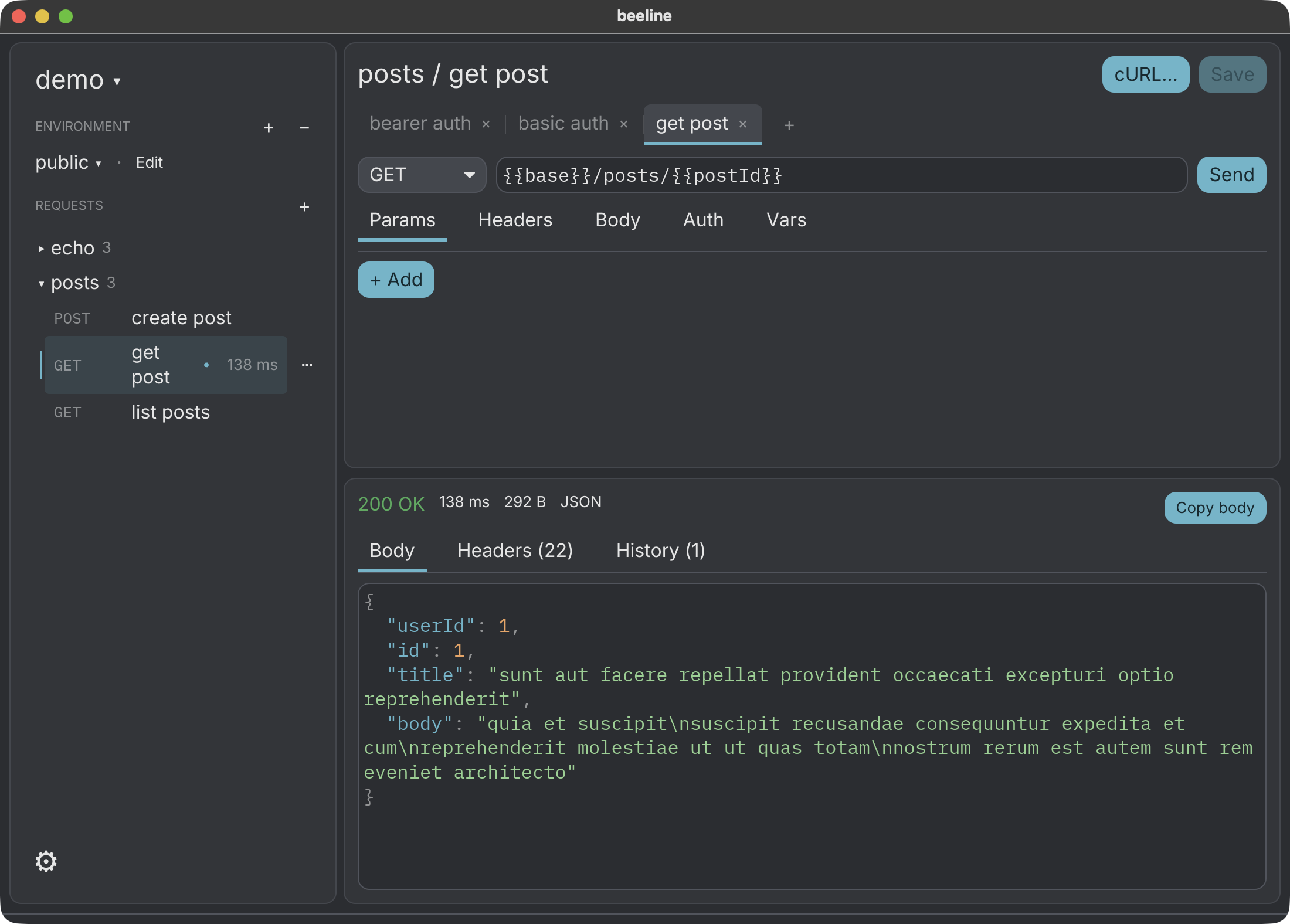
For years, I’ve been trying out different api clients. It started with Postman, then Insomnia, and most recently Bruno. The story was the same, each time I left one because it got too bloated. Finally, I gave up on Bruno and just created my own.
My plan with “beeline” is to just keep it as minimal as possible, while being compatible with a wide variety of import and export options.
Check it out at https://zpeters.github.io/beeline/